




Ask the AI Tutor
Need help with Code - An Introduction? Ask our AI Tutor!
AI Tutor - Lucy
Connecting with Tutor...
Please wait while we establish connection
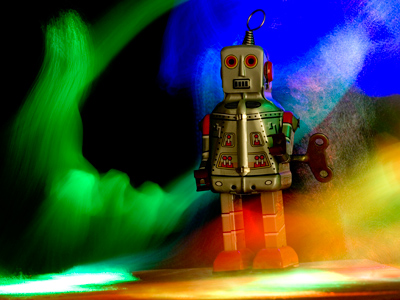
What would you program a robot to do?
Code - An Introduction
Code is how we tell computers what to do. In this quiz, you will spot simple coding ideas like starts, actions, and instructions that make things happen on screen.
1 .
Code can use symbols and numbers. What else could be a code for: Up 3 squares?
→3●
↓3■
↑3■
↑3▲
Can you use these symbols to write down the code for: Down 4 squares?
2 .
Which one of these could be a code?
Go round the corner and walk forward five paces
The car turned right and then drove for five miles
Alice turned round and saw five birds sitting on a fence
Turn→5
What sort of code have you used?
3 .
An algorithm says: Go up 3 squares to the top of the screen.
Which one of these could be code for this?
Which one of these could be code for this?
Down 3 squares
Up 3 squares
Right 3 squares
Left 3 squares
Code is a series of very simple instructions
4 .
Code is written in short steps. A series of these steps in code is called a ______.
Story
Algorithm
Script
Text
An algorithm has steps, but they are not written in code
5 .
Sasha writes a program to draw a square. The program is made up of ____.
Rhymes
Code
Poems
Songs
Code can include words, but it is not like ordinary English
6 .
Adil wrote code to control a toy robot. Adil was ___________ the computer to move round the room.
Drawing
Programming
Shaping
Colouring
What could you program a toy robot to do?
7 .
A lot of code to do a job is called a _______.
Story
History
Algorithm
Program
You can program computers to do different jobs
8 .
What is computer code?
A special language
A foreign language
A list of passwords
A list of shapes
One language used to write computer code is called Scratch. Have you used Scratch?
9 .
To make a computer work, algorithms have to be turned into ____.
Sentences
Paragraphs
Code
Stories
The code used to create web pages is called HTML
10 .
Adil wants to control a toy robot moving round a room. Adil writes this step in his algorithm:
Turn right at the wall.
What could be the code for this?
Turn right at the wall.
What could be the code for this?
Forward. Wall? Yes - Left. No - Right
Right. Wall? Yes - Stop. No - Back
Forward. Wall? Yes - Right. No - Forward
Right. Wall? Yes - Forward. No - Stop
The toy robot must keep going until it reaches the wall, and then turn right



**Unlimited Quizzes Await You! 🚀**
Hey there, quiz champ! 🌟 You've already tackled today's free questions.
Ready for more?
Ready for more?
🔓 Unlock UNLIMITED Quizzes and challenge yourself every day. But that's
not all...
not all...
🔥 As a Subscriber you can join our thrilling "Daily Streak" against other
quizzers. Try to win a coveted spot on our Hall of Fame Page.
quizzers. Try to win a coveted spot on our Hall of Fame Page.
Don't miss out! Join us now and keep the fun rolling. 🎉
**Unlimited Quizzes Await You! 🚀**
Hey there, quiz champ! 🌟 You've already tackled today's free questions. Ready for more?
🔓 Unlock UNLIMITED Quizzes and challenge yourself every day. But that's not all...
🔥 As a Subscriber you can join our thrilling "Daily Streak" against other quizzers. Try to win a coveted spot on our Hall of Fame Page.
Don't miss out! Join us now and keep the fun rolling. 🎉




© Copyright 2016-2026 - Education Quizzes
Work Innovate Ltd - Design | Development |
Marketing
